October 27, 2026
CADSoftTools is pleased to announce the release of ABViewer 16.3 (https://cadsofttools.com/products/abviewer/), an updated version of a multifunctional program for working with DWG, DXF, and other CAD files and 3D models.
The update delivers new features and improvements across the whole application, including PDF to DWG/DXF conversion, G-code generation, and editing tools:
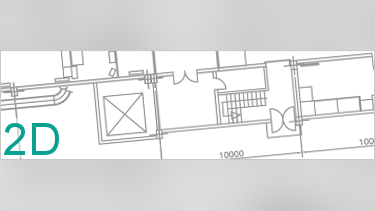
2D Improvements
- Improved import of DWG and DXF.
- Improved export to DWG, DXF, PDF, and SVG.
- Hyperlinks are now preserved when exporting to PDF.
3D Improvements
- Support for Parasolid versions 38.0 and 38.1.
- Batch conversion of 3D models to STEP is now supported.
PDF to DWG/DXF Conversion Improvements
- Higher conversion speed.
- Better conversion quality.
Editor Mode Improvements
- The Offset tool comes with an improved offset generation algorithm and a new Bevel Corners mode.
- Selected objects can be located directly in the structure tree (right-click the object → Show in Structure).
- A 3D Mode setting has been added to the dynamic input (File → Settings → Snap → 3D Mode).
- Navigation with the Zoom Optimization setting is now smoother.
G-Code Generation Improvements
- The algorithm for processing pockets with multiple passes has been improved.
- Pocket milling and hole drilling operations can now be edited (right-click a pocket or hole → Edit operation).
- The G-code mode interface is more responsive: selection and progress are optimized, operation names in G-code comments are expanded, and the Processing Queue panel is improved.
- The list of entities supported for conversion has become larger: Solid, Attdef, Attrib, and polylines with width and 3D rotation.
- G-code generation for drilling operations is optimized: automatic tool retraction to the initial plane (G98) has been added.
User Interface Improvements
- A new button to quickly create a drawing layout has been added.
- Pinned panels can be hidden automatically (right-click a dock panel icon → Dock options → enable Auto Hide).
Other Improvements
- Improved XML API performance.
- Bug fixes and performance improvements.
ABViewer 16.3 is now available for download. A free trial works for 30 days: https://cadsofttools.com/download/abviewer.zip
The update is free of charge for holders of a valid ABViewer 16 license. Users of older versions can upgrade at a special price. Questions about downloading and upgrading are welcome at info@cadsofttools.com.
About CADSoftTools
Founded in 2000, CADSoftTools develops software products for industrial and construction drawings. The company offers a wide range of products from ready applications (ABViewer, CST CAD Navigator) to libraries for developers (CAD VCL Multiplatform, CAD DLL, CADEditorX, CAD.NET, Web CAD SDK). CADSoftTools cooperates with a large number of companies worldwide including Samsung, Hitachi Power Europe and others. More information: https://cadsofttools.com
Media Contact
Email: info@cadsofttools.com
Website: https://cadsofttools.com